
SpikeGen1
Give each star an optical signature. Render photorealistic diffraction spikes directly in Photoshop and Affinity.
Compare imagesChoose the optics behind the signature.
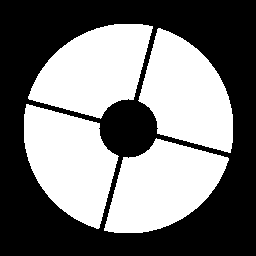
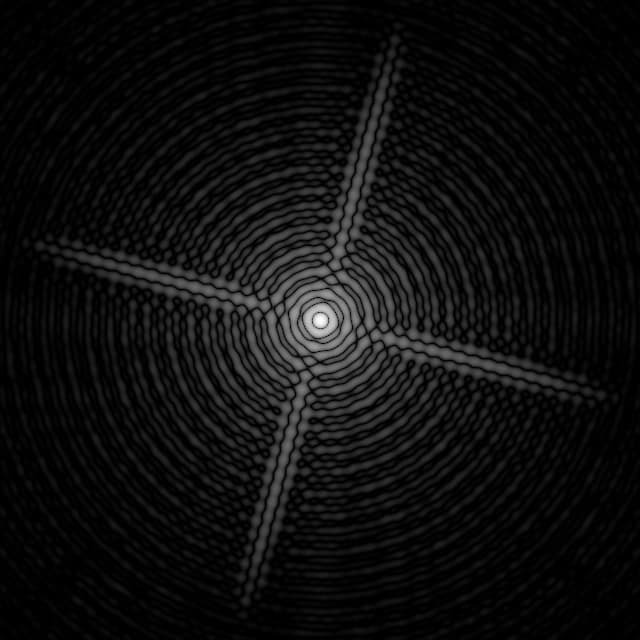
Three Newtonian vanes produce six rays. With four opposing vanes, the rays overlap to form a cross. Explore twelve geometries and targets, from a circular refractor to hexagonal segments and a Bahtinov mask.
It starts at the pupil.
Set the central obstruction, vane width and orientation, or import your own pupil. A Fourier transform calculates how a point of light spreads across the image plane.
Six rendering models
Adjustable diffraction stretches the profile while preserving colour and width. With pupil dimensions, geometry sets the spacing and Length sets the outer limit. Smooth extension, polychromatic, monochromatic and straight-vane diffraction round out the options.
The star supplies the colour.
Even when the core is saturated, its wings retain colour information. SpikeGen1 measures their RGB response and integrates wavelengths to bring subtle colour transitions into the rays.
Look at the bright star to the left of M82. Its rays are nearly white at the core, then break into amber filaments. Adjust filament spacing and fringe contrast while keeping halo saturation independent.
Inspect the origin of each ray.
Place the split across a stellar core, hide the markers and switch from the whole field to a single star. Compare the original and the render at the same scale while adjusting exposure, rotation and length.
Add a second set of rays.
Add up to six opposing ray pairs. Allocate a share of stellar light to them and set how far they reach, how thin they appear and where they cross the primary rays.
Set spike length, rotation and exposure. Tune the halo, secondary rays and internal reflections independently. Coming from StarSpikes Pro? Start with your own optical geometry to give the field a distinctive signature.
Measure the signature of your telescope.
Open a linear reference exposure or use the active image. The engine stacks isolated, unsaturated stars and compares the measured profile with a Moffat fit or the configured pupil. Where enough stars are available, it measures how the profile varies across the field. Save it for the next exposure.
Keep your optics for the next session.
Import a transmission mask, edit the vanes or define a spectral response. Save the configuration as an optical preset. Separate internal reflection controls set the light fraction, shift towards the centre and ring radius.
One exposure, before and after.
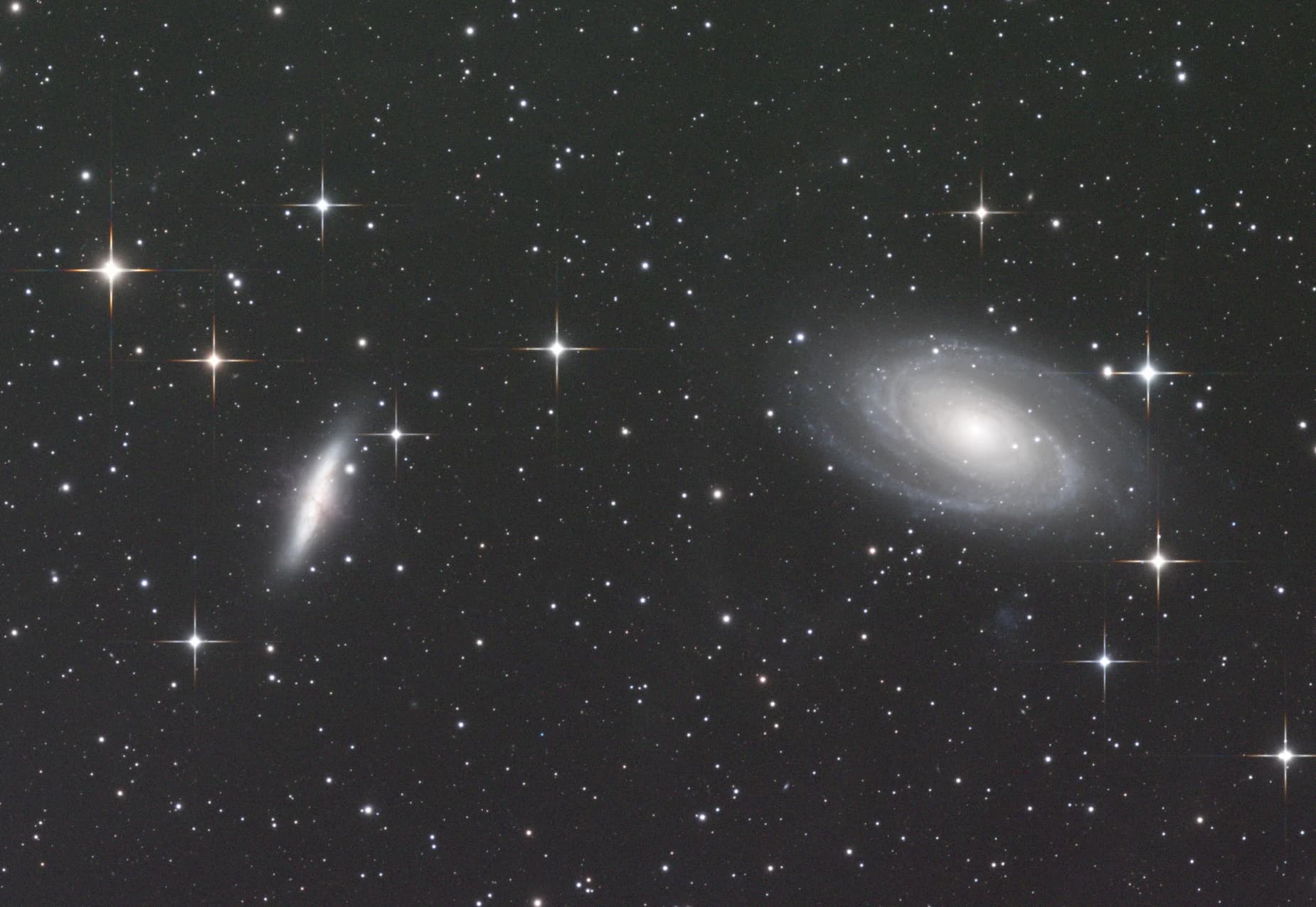
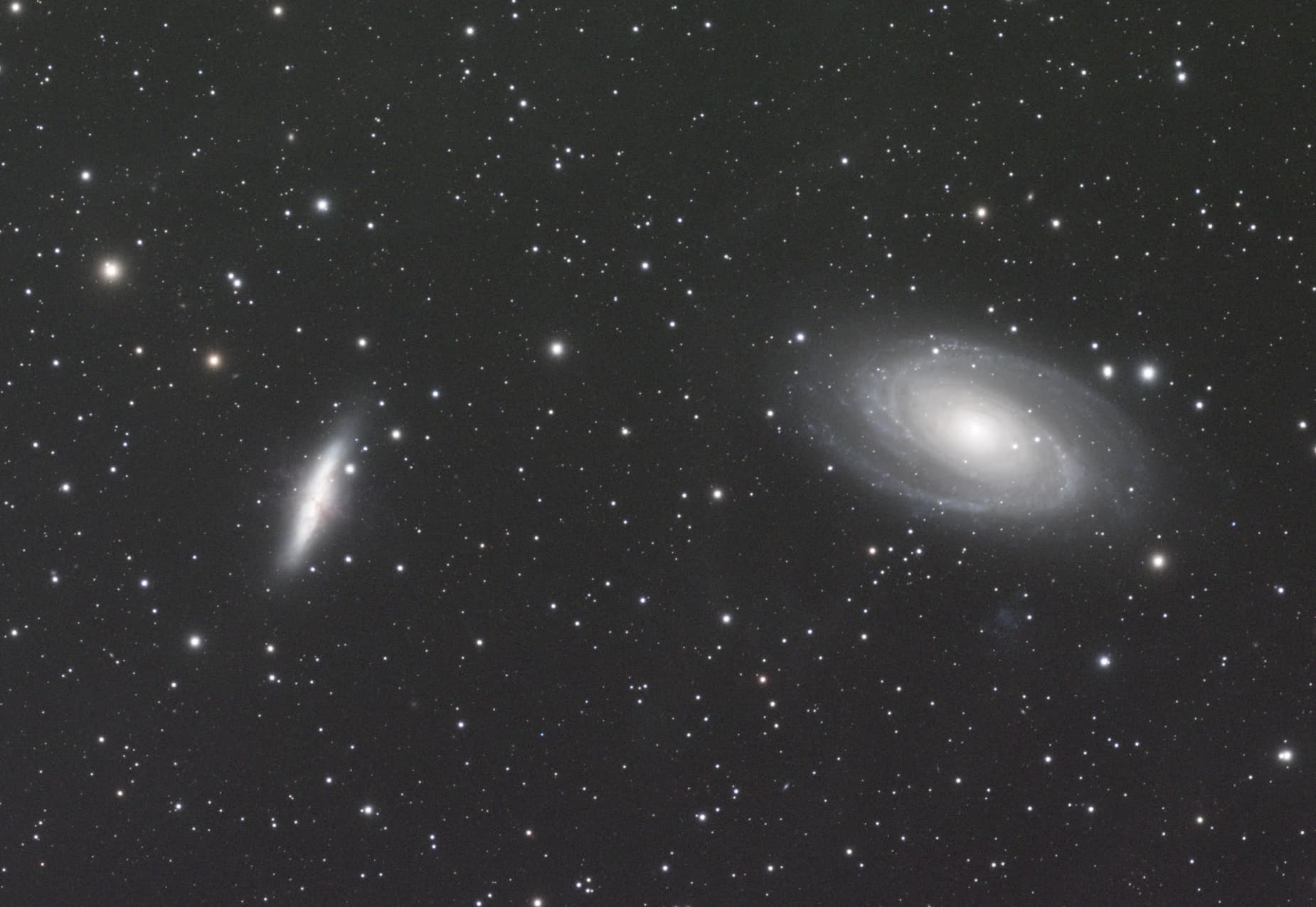
2,228 stars. Twelve selected.
In the M81 and M82 frame the detector finds 2,228 stars. Twelve are selected here. Brush stars in or out, correct a centre and choose whether the next adjustment affects one star or the entire selection.
Give the Milky Way room.
In a wide field, a soft halo on a few bright stars brings out the sky above the ridge. In nightscape mode, choose the fraction of stars that receive halos independently of those receiving spikes. Move the divider to see how subtle the adjustment can be.
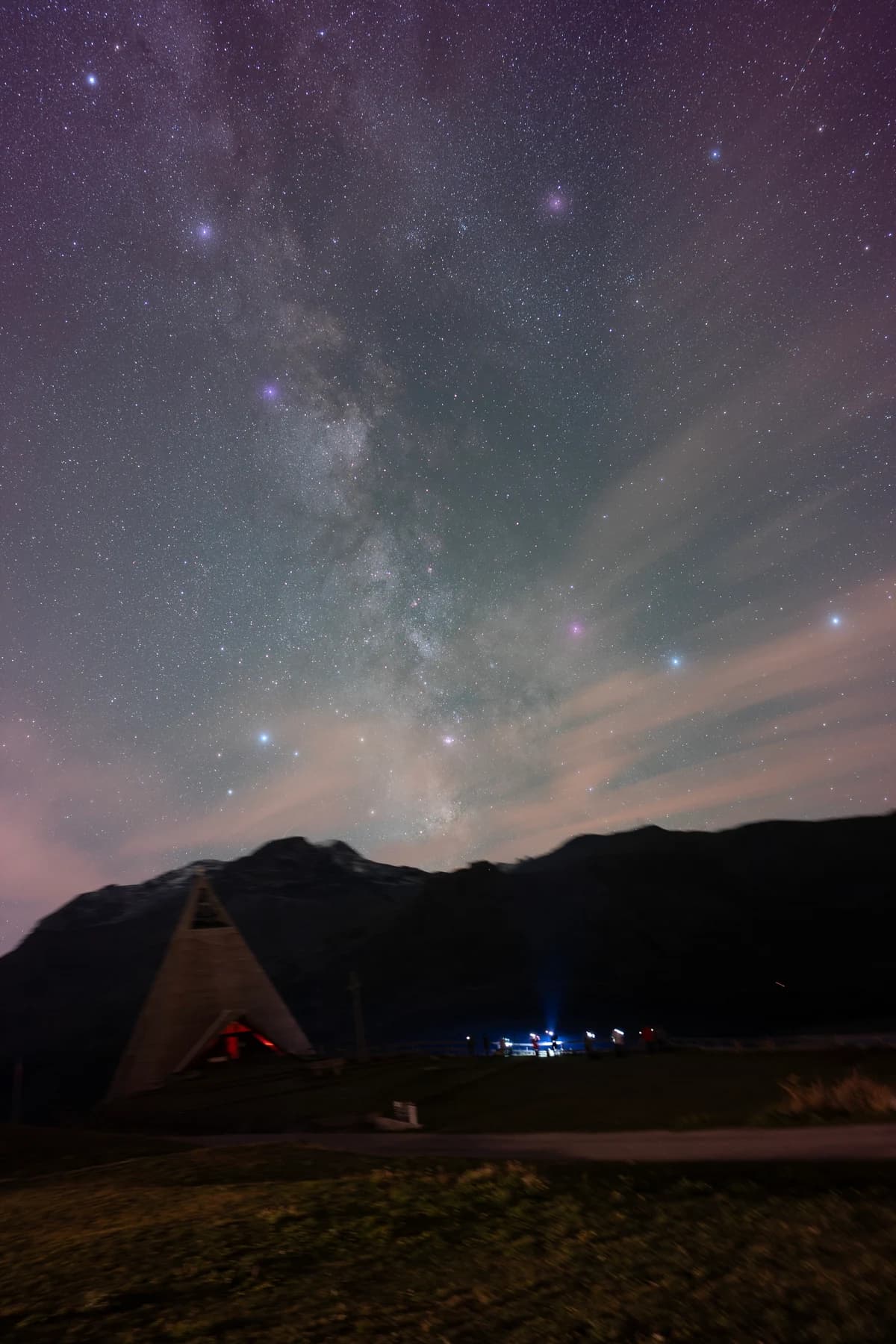
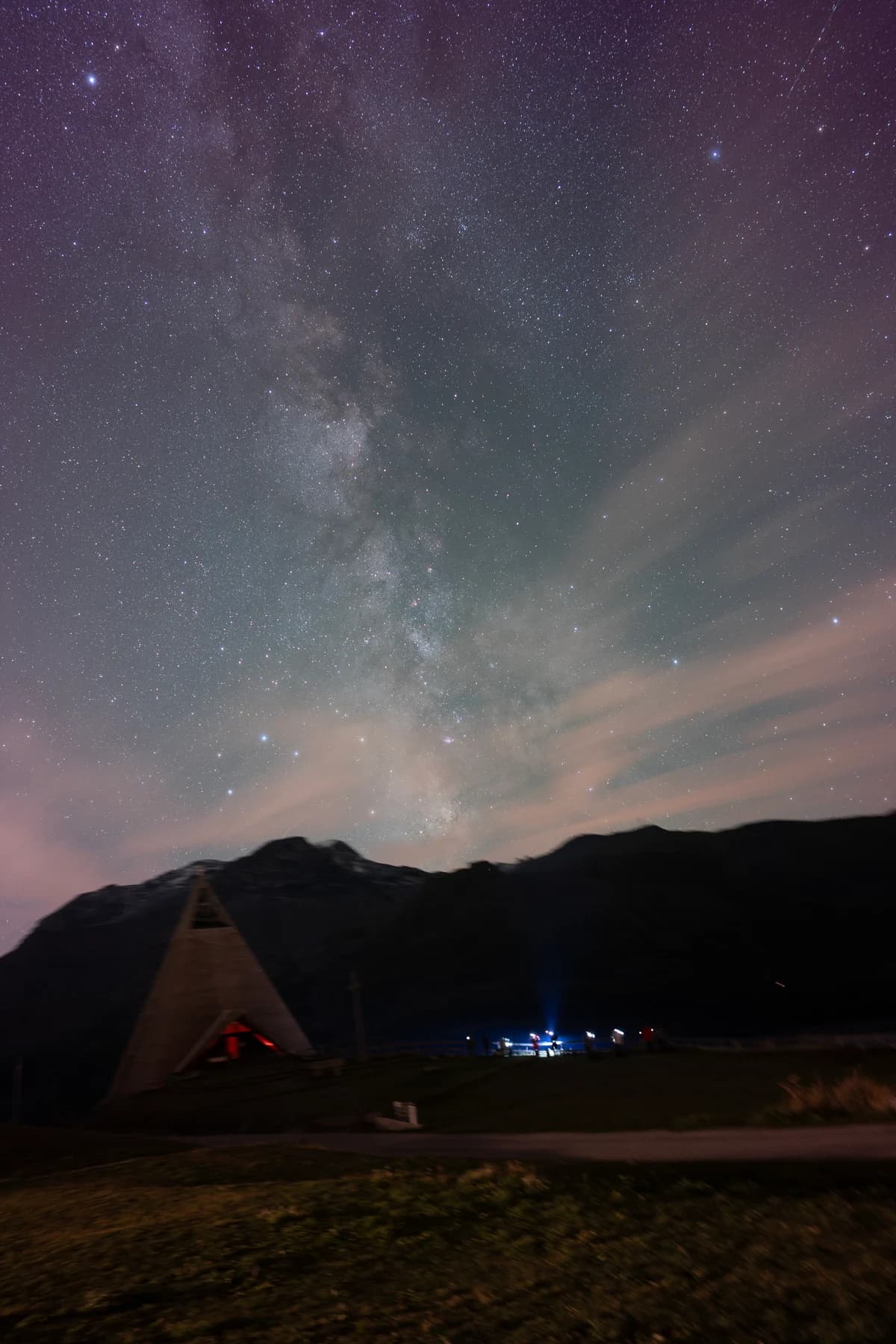
Three ways to handle light
Optical enhancement adds light. Physical PSF replacement redistributes measured stellar flux. Nightscape enhancement is designed for stars above a landscape.
Features and controls
Stars
Set minimum signal-to-noise, saturation and the accepted star width (FWHM). Select principal stars, add the brightest in view or recenter the selection.
Spikes & Halo
Set spike intensity, length, exposure from −4 to +4 EV, saturation and rotation. Halos have independent intensity, saturation, pixel radius and automatic coverage.
Ray geometry
Control ray width, angle between axes, filament spacing, fringe contrast and the fraction of light directed into spikes.
Pupil / target
Three- or four-vane Newtonian, curved spider, circular refractor, annular aperture, Ritchey–Chrétien, segmented hexagons, polygonal aperture, Bahtinov mask, custom pupil, calibrated field PSF and artistic starburst.
Pupil geometry & spectrum
Enter aperture, focal length and pixel pitch for instrument scale, or work directly on the image in free scale. Set wavelength, spectral integration, central obstruction, vane width and defocus.
Internal reflections
Set the fraction of light in the reflection, its displacement toward the centre and the radius of the ring.
PSF Calibration
Use a linear exposure with at least four isolated, unsaturated stars. Compare a Moffat fit, the configured pupil or a scale fit with a fixed pupil. Save and reload the PSF profile.
Optical presets
Save and load optical presets, edit spectral response and segment pistons. Artistic starburst provides control over ray colour, decay and asymmetry.
From the filter to your document.
For desktop versions of Photoshop and Affinity that support Photoshop 8BF filters for the corresponding platform.
Adobe Photoshop
Open Filter → SyQon → SpikeGen1. You can apply the result to a new layer.
Affinity
Add the folder in Photoshop Plugins settings and restart Affinity. Duplicate the pixel layer to keep the original.
Install the .plugin bundle on Mac. On Windows, keep the .8bf file beside the SpikeGen1 Runtime folder. On first launch, sign in with the SyQon account linked to your licence.
Bring your optics into the darkroom.
€37One licence for Photoshop and Affinity. Activate on 3 computers.
macOS 26 · Apple SiliconWindows 10 / 11 · x64Buy SpikeGen1